
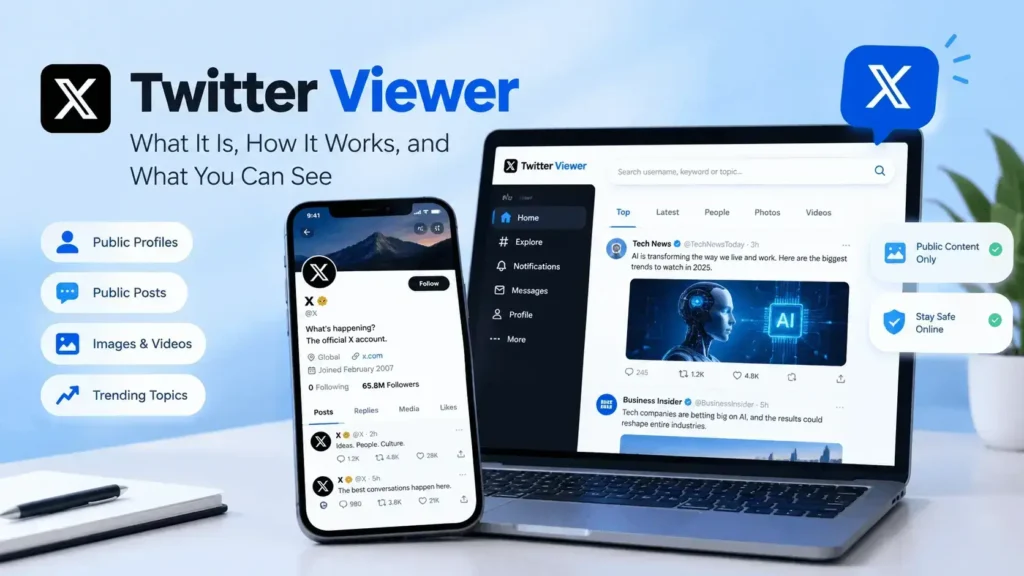

Twitter, now known as X, is one of the most popular platforms for following breaking news, public conversations, brands, creators, and trending topics. Because so much public content is shared on the platform, people often search for tools or methods known as a Twitter Viewer.
A Twitter viewer generally refers to a tool, website, or browsing method that helps users find and view publicly available content from Twitter/X. Depending on the service, it may allow users to explore public profiles, posts, images, videos, or trending conversations.
In this guide, we’ll explain what a Twitter viewer is, how it works, what you can typically see, and what limitations you should know about.
What Is a Twitter Viewer?
A Twitter Viewer is a general term used for tools or services that help people view publicly available Twitter/X content.
Some viewers are designed around specific purposes, such as:
- Viewing public profiles
- Exploring public posts
- Finding public images and videos
- Following trending topics
- Researching public conversations
- Browsing content without using every feature of the main X platform
The exact features vary between services. Some may simply provide a different interface for viewing public content, while others may offer search or filtering features.
It is important to understand that a Twitter viewer should not be considered a way to bypass privacy settings or access restricted information.
How Does a Twitter Viewer Work?
Most Twitter viewer services rely on publicly available information or publicly accessible X content.
A typical process may involve entering a username, profile URL, keyword, or topic into a search field. The service then displays information that is available through its supported sources or methods.
For example, someone researching a public technology account might enter its username to find publicly available posts and profile information.
However, third-party viewers can have different capabilities and limitations. Some may stop working when platform access rules or technical systems change.
What Can You See With a Twitter Viewer?
The information available depends on whether the account and content are public.
Public Profiles
Public profile information may include:
- Display name
- Username
- Profile description
- Profile image
- Public posts
- Public media
- Other publicly displayed information
Public Posts
A viewer may help you find posts that have been made publicly available. This can be useful when researching a particular topic or following conversations around an event.
Public Media
Some services focus on publicly available images and videos posted through public accounts.
Public Trends and Conversations
Twitter/X is widely used for real-time discussions. Public conversations can provide useful insights into breaking news, technology developments, entertainment, sports, and other popular subjects.
Can You View Twitter Without an Account?
Access to Twitter/X content without an account can vary depending on the platform’s current policies, login requirements, and the type of content you’re trying to access.
Some public content may be accessible through search engines or other publicly available pages, while other features may require you to sign in.
Third-party Twitter viewer websites may also advertise account-free browsing, but their reliability and functionality can change over time.
For the safest experience, avoid services that ask for unnecessary account credentials or make unrealistic promises about accessing restricted content.
Why Do People Use Twitter Viewers?
There are several legitimate reasons someone might search for a Twitter viewer.
Research
Researchers and writers may want to explore public discussions around a particular subject.
Following Trends
Public posts can help users understand what topics are gaining attention.
Competitor Research
Businesses can monitor public conversations around competitors, products, and industries.
Content Discovery
A viewer can sometimes make it easier to find posts, accounts, or conversations related to a specific topic.
Checking Public Profiles
Users may want to review information that an account has chosen to make publicly available.
Are Twitter Viewer Websites Safe?
Not every third-party Twitter viewer should automatically be considered safe.
Before using an unfamiliar service, look for basic security and privacy signals.
Avoid Giving Away Your Password
A legitimate viewer generally should not need your X password simply to display publicly available information.
Check the Website
Look for HTTPS, a clear privacy policy, contact information, and transparent details about the service.
Be Careful With Downloads
Avoid downloading unknown software or browser extensions just to view public social media content.
Don’t Trust Unrealistic Claims
Be cautious of websites claiming they can reveal private profiles, deleted private information, or hidden account activity.
Twitter Viewer vs. Twitter/X
The main difference is the environment in which you access the content.
Twitter/X is the official social platform where users create accounts, publish posts, follow other users, and interact with content.
A Twitter viewer is generally a third-party tool, interface, or method for finding or displaying publicly available Twitter/X information.
The official platform will usually provide the most reliable and complete access to its available features.
Limitations of Twitter Viewers
Twitter viewers aren’t guaranteed to provide complete or permanent access to public content.
Some common limitations include:
- Changes to X’s platform policies
- Login requirements
- Rate limits
- Removed or deleted posts
- Restricted accounts
- Incomplete search results
- Broken third-party services
- Temporary technical issues
A public post can also become unavailable if the original account owner deletes it or changes its visibility.
Can a Twitter Viewer See Private Accounts?
No legitimate public viewer should be able to bypass a protected account’s privacy settings.
If an X account is private or protected, its posts are intended for an approved audience. Services claiming that they can secretly reveal private posts should be treated with caution.
Respecting account privacy is important when researching or viewing social media content.
Tips for Using Twitter Viewers Safely
If you decide to use a third-party viewer, keep these tips in mind:
- Use reputable services.
- Never share your password unnecessarily.
- Avoid suspicious downloads.
- Don’t attempt to bypass privacy controls.
- Check the site’s privacy policy.
- Be careful with advertisements and pop-ups.
- Verify important information using reliable sources.
These simple precautions can help make your online research safer.
Final Thoughts
A Twitter Viewer can be useful for exploring publicly available conversations, profiles, posts, and trends on Twitter/X. It can help with research, content discovery, and following topics that matter to you.
However, third-party services vary significantly in reliability and safety. The best approach is to use reputable sources, protect your personal information, and always respect the privacy settings of other users.
For important news or claims discovered through social media, it’s also a good idea to verify the information through official sources or reputable publications before relying on it.
Frequently Asked Questions
What is a Twitter viewer?
A Twitter viewer is a tool or browsing method that helps users find or view publicly available Twitter/X content.
Can I view Twitter without an account?
Some public X content may be accessible without an account, but availability depends on X’s current access policies and the specific content.
Can a Twitter viewer see private accounts?
No legitimate public viewer should bypass the privacy settings of protected accounts.
Are Twitter viewer websites safe?
Safety varies between websites. Avoid services that request unnecessary credentials, install unknown software, or promise access to private information.
Can someone see that I viewed their Twitter profile?
X’s features and analytics can change, but simply using a third-party viewer should not be assumed to provide a legitimate way to secretly access private profile activity.
